Cursor Rules, Explained — and When Skills Win
What Cursor rules are, how they compare to Claude Code Skills, and where each one actually fits — plus what Logic64 currently supports.
2 min read
What Cursor rules are
Cursor rules are project-level instructions the Cursor editor reads automatically, so it does not have to be told the same context in every conversation. In purpose, they occupy the same category as CLAUDE.md: stable, always-available project context, rather than something restated in every prompt.
The specific mechanics of how Cursor stores and scopes rules are a Cursor product detail, not a Claude Code or Logic64 one — worth checking Cursor's own documentation for the current implementation rather than relying on a third-party summary that can go stale.
Why "rules vs Skills" is the wrong pairing
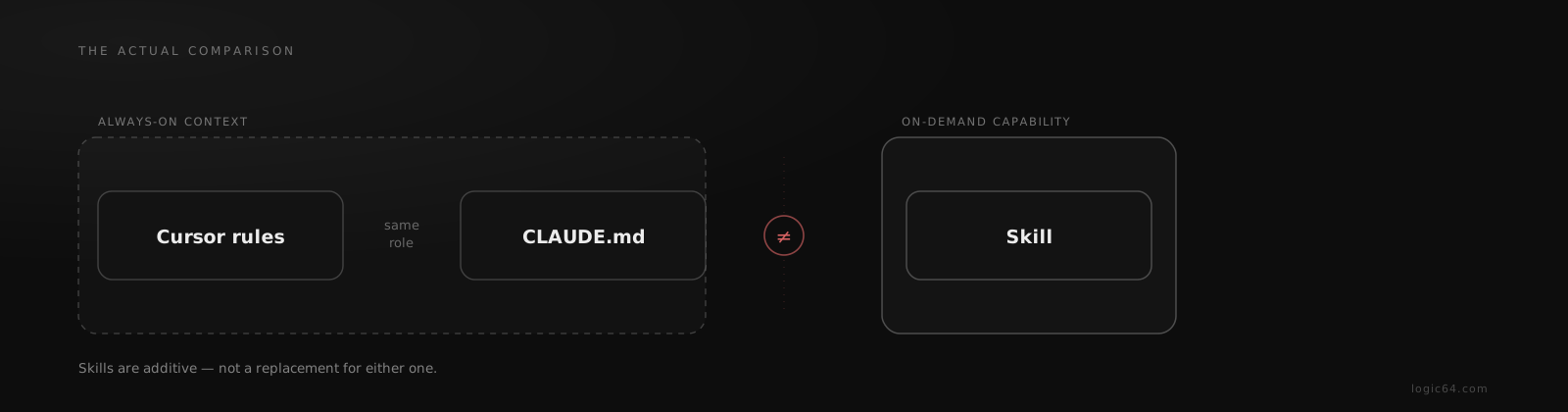
Cursor rules and Claude Code Skills get searched for and compared as if they are two ways to solve the same problem. They are not. A rule's job is always-on context — the same role CLAUDE.md plays in Claude Code. A Skill's job is an on-demand, task-scoped capability loaded only when a specific job calls for it.
The honest comparison is Cursor rules vs CLAUDE.md — both always-on project context, for different editors. Skills are a separate concept: on-demand capability, not standing context, and not a direct substitute for either.
If you move from Cursor to Claude Code
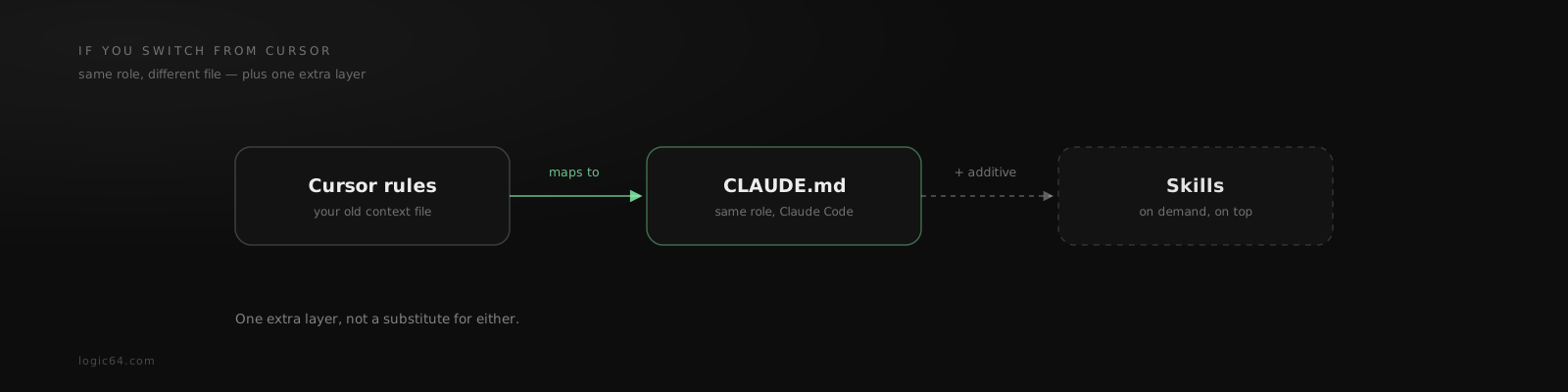
The mapping is straightforward at the level of role, even if the exact syntax differs: what Cursor rules did for context, CLAUDE.md does in Claude Code. Skills are additive on top of that, for specific, repeatable procedures — not a replacement for the standing rules a rules file or CLAUDE.md carries.
How Logic64 fits
Logic64 currently generates CLAUDE.md, AGENTS.md, and GEMINI.md — adapters for Claude Code, AGENTS.md-convention tools, and Gemini CLI, each routing into the same docs/okf/ knowledge tree. A Cursor-specific adapter is not part of the current generated set.
If your team works primarily in Claude Code, Gemini CLI, or another AGENTS.md-convention tool, that governed workspace applies directly.
Frequently asked questions
What are Cursor rules?
Cursor rules are project-level instructions the Cursor editor reads automatically, giving it stable context about a codebase the way a plain prompt cannot. Their job is the same category as CLAUDE.md — always-available project context — just for a different editor.
Are Cursor rules the same as Claude Code Skills?
No, and the two get compared more than they should be. A Cursor rule is always-on project context, closer in role to CLAUDE.md. A Skill is a Claude Code concept for an on-demand, task-scoped capability loaded only when needed. They are not two options for the same job.
Does Logic64 generate Cursor rules files?
Not currently. Logic64 generates the CLAUDE.md, AGENTS.md, and GEMINI.md adapters — covering Claude Code, AGENTS.md-convention tools, and Gemini CLI. A Cursor-specific adapter is not part of the current generated set.
Related reading