What Is a CLAUDE.md File? What Belongs In One
A CLAUDE.md file is a governance adapter that tells Claude Code how to work in your project. Here is what belongs in one — and what doesn’t.
4 min read
What is a CLAUDE.md file?
A CLAUDE.md file is a governance adapter: a short, project-root markdown file that Claude Code reads automatically at the start of a session. Its job is to tell the assistant how to behave inside this specific codebase — which commands are safe to run, which changes need explicit approval, and which rules should never be silently overridden.
It is not a product brief, a style manifesto, or a copy of your architecture documentation. Those are different documents with different audiences. CLAUDE.md has exactly one job: give an AI coding assistant stable operating rules for this project, every session, without you re-explaining them in chat.
CLAUDE.md tells Claude Code how to work in your project — not what your project is. That single distinction is the difference between a file that stays useful and one that quietly goes stale.
Where does a CLAUDE.md file go?
At the root of the repository, next to files like package.json, pyproject.toml, or go.mod. Claude Code looks for it there automatically when you open a session in that directory — no manual loading, no slash command, no configuration step. That is also why a stale CLAUDE.md is so costly: it is read on every single session, so any drift between the file and the real codebase gets re-injected into every conversation.
What belongs inside it
A working CLAUDE.md is executable, not aspirational. Every line should be something the assistant can act on directly, not a general sentiment.
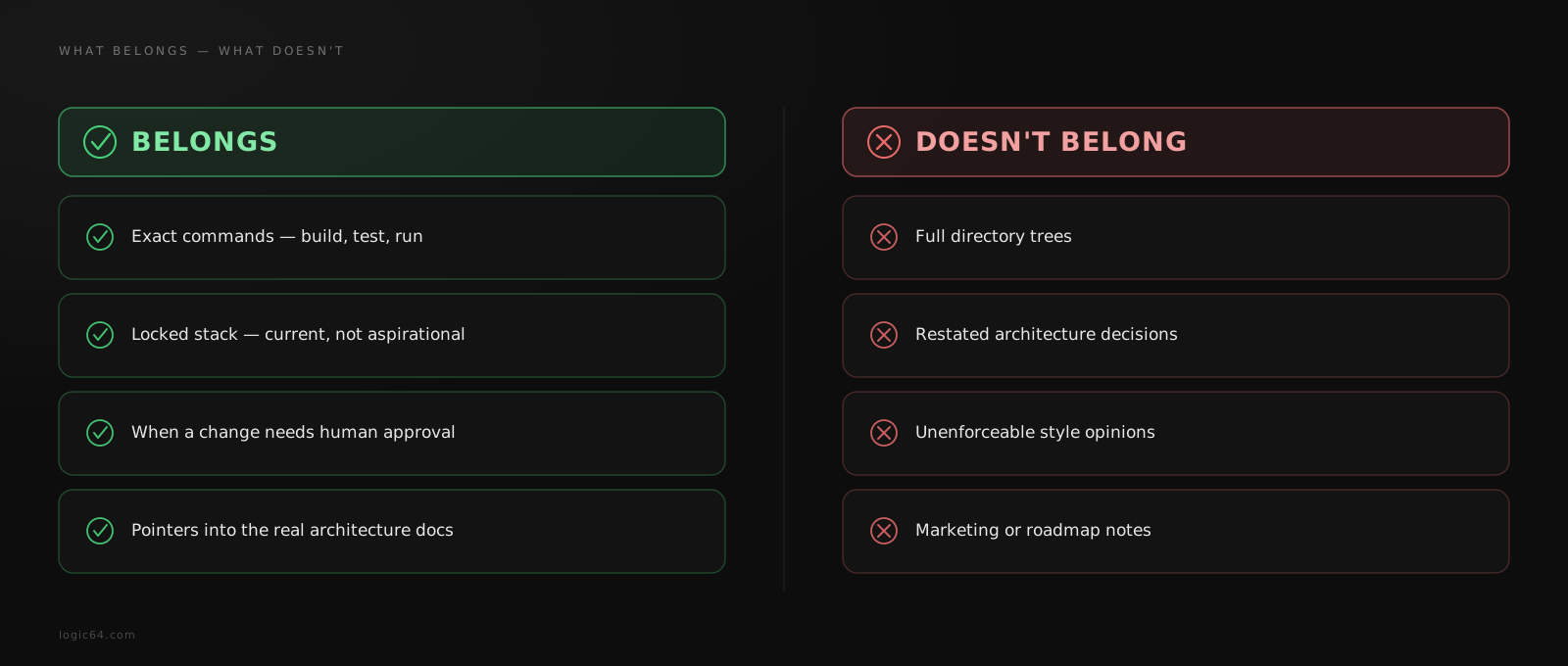
- The exact commands to build, test, and run the project — not "use the usual build process."
- A short, current summary of the locked technology stack, so the assistant does not have to guess or invent one.
- An explicit list of what is out of bounds — frameworks, patterns, or libraries this project deliberately does not use.
- The rule for when a change requires human approval before proceeding, and when it does not.
- Pointers into the real architecture documentation, so the assistant reads the source of truth instead of a summary of it.
What doesn't belong inside it
The most common failure mode is treating CLAUDE.md as a dumping ground: every preference, every past decision, every directory listing gets pasted in "just in case." The file grows for months, nobody prunes it, and it silently drifts out of sync with the actual codebase — at which point it starts giving the assistant instructions that are actively wrong.
- Full directory trees — they go stale the moment a file moves, and Claude Code can read the filesystem directly.
- Restated architecture decisions — link to the document that owns them instead of copying it.
- Personal style opinions with no enforceable rule behind them ("write clean code," "be careful").
- Marketing copy, roadmap notes, or anything that is not an operating instruction for this session.
If your CLAUDE.md needs its own table of contents, it has stopped being an adapter and become a second, unmaintained copy of your architecture docs — the exact drift it was supposed to prevent.
A minimal, working structure
In practice, a CLAUDE.md that stays useful tends to converge on the same shape: a one-line mode banner, a short identity line, and a handful of headed sections that map directly to decisions the assistant actually needs at the start of every task.
# {Project Name} — Claude Code Guide

## Knowledge Source
Architecture, decisions, and rules live in `docs/okf/`. Read the relevant
file there before touching implementation code — this file only tells you
how to work, not what the system is.

## Locked Stack
Backend: Node.js + TypeScript + Fastify. Frontend: Next.js + TypeScript.
Database: Postgres + Drizzle ORM. DO NOT USE: Express, Prisma, Socket.io.

## Build Mode
The architecture is locked. Implement inside it — do not introduce new
services, dependencies, or structural patterns without explicit approval.

## Development Mode
Planning is still open. Propose changes; do not write production code
until the relevant decision is confirmed.

## Standing Invariants
Rules that hold in every mode: never touch `.env` files directly, never
skip the test suite, never remove an existing migration.
Notice what is absent: no directory tree, no restated product description, no duplicated decision log. Every section either states a rule directly or points at the file that owns the real answer.
CLAUDE.md vs AGENTS.md vs Skills
CLAUDE.md, AGENTS.md, and GEMINI.md are siblings, not competitors — the same governance adapter translated into each assistant’s expected convention. They should carry identical meaning: if one says a change needs approval, all of them should. What differs is the assistant reading it, not the rules themselves.
Skills are a different layer entirely. Where an adapter is always-on background context loaded at the start of every session, a skill is a narrow, on-demand capability the assistant loads only when a specific task calls for it. An adapter tells Claude Code how to behave; a skill gives it a specific, task-scoped procedure to follow when needed.
| File | When it loads | What it should contain |
|---|---|---|
| CLAUDE.md / AGENTS.md / GEMINI.md | Every session, automatically | Operating rules, locked stack, approval boundaries |
| A skill | On demand, for a specific task | A narrow, task-scoped procedure or capability |
How Logic64 generates yours
Logic64 is an AI software architect, not just a file generator: architecture decisions get locked first, in Plan. Once the stack and boundaries are fixed, Build produces the full governed workspace from that locked state — the docs/okf/ knowledge tree, plus the CLAUDE.md / AGENTS.md / GEMINI.md adapters that route into it. Because the adapter is generated from the same locked source as the architecture itself, it does not drift out of sync the way a hand-maintained file does.
From there, logic64 pull brings the workspace — adapters included — onto your machine as ordinary files you can read, edit, and version like anything else.
Frequently asked questions
What is a CLAUDE.md file?
A CLAUDE.md file is a governance adapter that Claude Code reads automatically at the start of a session. It tells the assistant how to behave in a specific project — which commands to run, what needs approval, and which rules can never be silently changed. It does not describe what the project is; that belongs in your architecture documentation.
Where does a CLAUDE.md file go?
At the root of the project, alongside files like package.json or pyproject.toml. Claude Code looks for it there automatically when a session starts in that directory.
Is CLAUDE.md the same as AGENTS.md?
They serve the same role for different assistants. CLAUDE.md is read by Claude Code, AGENTS.md by assistants that follow the open AGENTS.md convention, and GEMINI.md by Gemini CLI. All three should carry the same operating rules, translated into each assistant’s expected format — never three different sets of rules.
Does a CLAUDE.md file replace my architecture documentation?
No. A CLAUDE.md file should be thin and point to the real source of truth rather than duplicate it. If it starts accumulating directory trees, restated locked decisions, or full API contracts, that content belongs in your architecture docs instead — the adapter should link to it, not repeat it.
Related reading